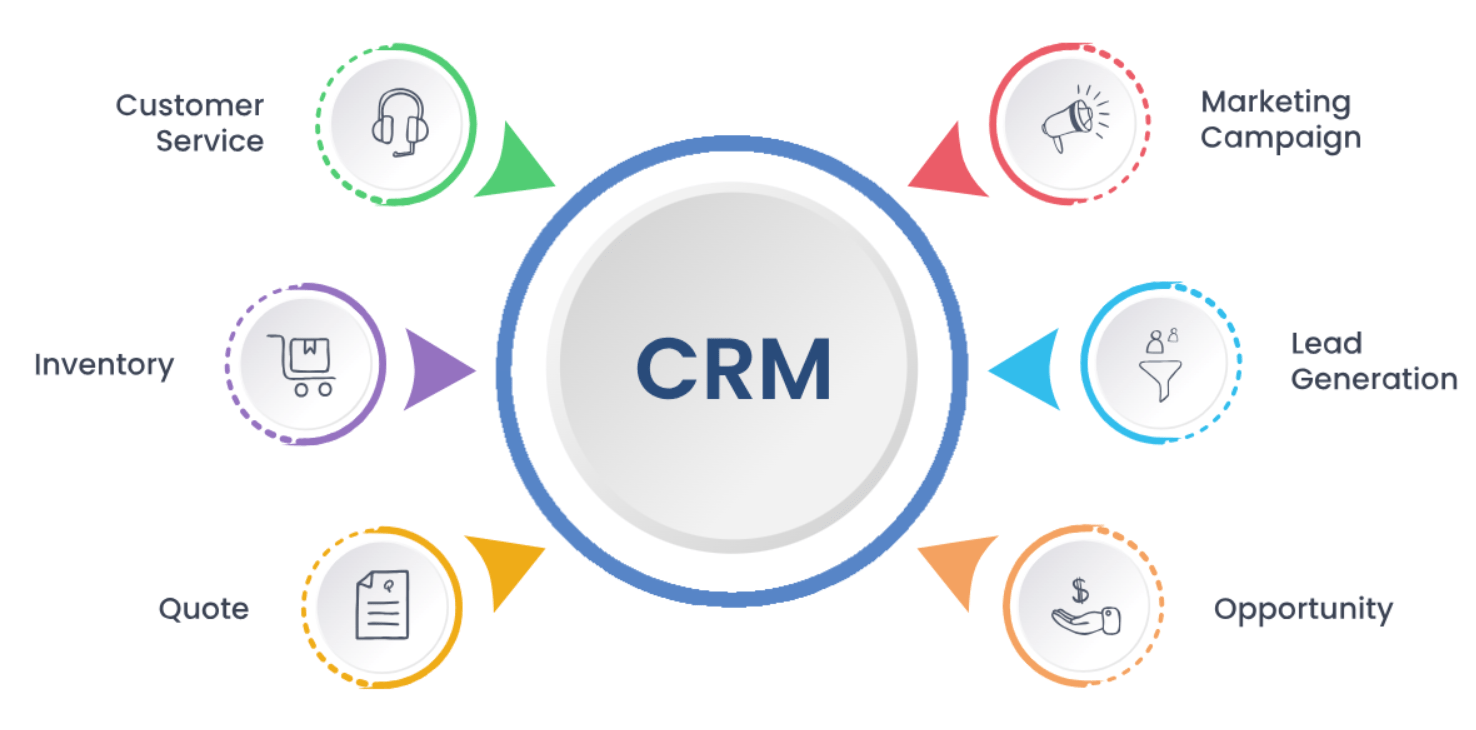
In today’s competitive landscape, a Customer Relationship Management (CRM) system isn’t just a “nice to have” for small and medium-sized enterprises (SMEs) – it’s a mission-critical tool for managing customer interactions, streamlining sales processes, and fostering business growth. Think of it as the central nervous system for your customer-facing operations. However, diving headfirst into the vast ocean of CRM options without a clear strategy can lead to wasted budget, frustrated teams, and a powerful tool gathering digital dust. Choosing the wrong CRM can be more detrimental than having no CRM at all, resulting in low adoption rates and inefficient workflows.
That’s why this article provides a practical, step-by-step checklist – 7 crucial steps – to guide SME owners and decision-makers in selecting the CRM system that truly aligns with their unique needs and propels their business forward.
Why Small Businesses Need a Tailored CRM Approach
The CRM needs of a burgeoning SME are vastly different from those of a large enterprise. While behemoths might require complex, highly customized platforms, CRM for small businesses demands affordability, ease of implementation, and the ability to scale as the company grows.
The ideal CRM for SMEs should be a catalyst for growth, not a cumbersome burden. It should adapt to your evolving business, empowering your team without overwhelming them.
The 7 Steps to Choosing the Right CRM for Your Business
Here’s your practical guide to navigating the CRM selection process:
Step 1: Define Your Business Goals
Before even looking at a single CRM platform, take a step back and clearly define what you want to achieve. What are your primary business objectives? Are you aiming to:
- Improve sales tracking and forecasting?
- Enhance customer support and satisfaction?
- Automate marketing efforts and lead nurturing?
- Centralize customer data for better insights?
Understanding your core goals will act as your compass throughout the selection process. What specific outcomes do you expect from implementing a CRM?
Step 2: Map Your Workflow and Pain Points
Next, analyze your existing workflows, particularly those related to sales, marketing, and customer service. Identify the areas where you experience friction, lose time, or struggle with data management. Common pain points for SMEs include:
- Leads falling through the cracks due to lack of follow-up.
- Scattered client notes and communication across multiple platforms.
- Difficulty tracking sales performance and identifying bottlenecks.
- Inability to personalize marketing efforts effectively.
Mapping these pain points will help you pinpoint the specific functionalities you need in a CRM for small businesses to address these challenges.
Step 3: List Must-Have vs. Nice-to-Have Features
Based on your goals and pain points, create a prioritized list of CRM features. Distinguish between “must-have” features that are essential for addressing your core needs and “nice-to-have” features that would be beneficial but aren’t critical for initial success. Common must-have features for SMEs often include:
- Contact and lead management.
- Email integration (e.g., Gmail, Outlook).
- Sales pipeline tracking.
- Basic reporting and analytics.
- Mobile access.
- Integration with other key business tools (e.g., accounting software).
- Automation of basic tasks.
Being clear on your priorities will prevent you from being swayed by flashy features you might not actually need, helping you find the best CRM for SMEs for your specific context.
Step 4: Set a Realistic Budget
CRM solutions vary significantly in price, ranging from free plans to enterprise-level platforms costing hundreds of dollars per user per month. It’s crucial to establish a realistic budget early in the process, considering not only the license fees but also potential setup costs, training expenses, and the time investment required for implementation and ongoing management. Remember that the cheapest option isn’t always the best value; focus on finding a CRM for small businesses that offers the necessary features within your financial constraints.
Step 5: Research and Compare Popular CRM Options
With a clear understanding of your needs and budget, it’s time to research and compare the various CRM options available. Some popular choices for SMEs include:
Salesforce Essentials: A streamlined version of Salesforce tailored for small businesses.
HubSpot CRM: Offers a robust free plan and scalable paid options.

Zoho CRM: A comprehensive platform with a range of features and pricing tiers.

Pipedrive: A sales-focused CRM known for its user-friendly interface.

Monday.com: While versatile, it can be adapted for CRM purposes with strong project management features.

Leverage resources like CRM comparison guides and review sites (e.g., Capterra, G2) to get an unbiased overview of different platforms and their features.
Step 6: Take Advantage of Free Trials or Demos
The best way to determine if a CRM system is the right fit for your business is to test it out. Most reputable CRM providers offer free trials or demos. Encourage your team to actively participate in these trials, using real-world scenarios and data. Key questions to ask during the trial period include:
- Is the interface intuitive and easy to navigate for all team members?
- Does it seamlessly integrate with our existing tools?
- Does it offer the “must-have” features we identified?
- Is the customer support responsive and helpful?
Hands-on experience will provide invaluable insights that online reviews alone cannot offer.
Step 7: Involve Your Team and Plan Onboarding
CRM adoption hinges on your team’s willingness and ability to use the system effectively. Involve key team members in the selection process to gather their feedback and address any concerns. Once you’ve made your decision, develop a comprehensive onboarding plan that includes adequate training, clear guidelines for usage, and ongoing support. A CRM that no one uses is simply a costly piece of software.
Common Mistakes to Avoid When Choosing a CRM
Steering clear of these common pitfalls will increase your chances of selecting the right CRM for your small business:
- Choosing based solely on price or brand name: Focus on features and functionality that align with your specific needs, not just the cheapest or most well-known option.
- Ignoring team input: Your team will be the primary users of the CRM, so their feedback is crucial for successful adoption.
- Overloading on features not needed by your business size: Resist the temptation of complex systems with features you won’t use. Start with the essentials and scale up as needed.
Real-World Case Example: A CRM Success Story
Consider a 10-person marketing consulting firm that was struggling to manage leads and track client interactions using spreadsheets. They decided to switch to a cloud-based CRM after a thorough needs assessment and trial period. The chosen CRM offered seamless email integration, automated lead nurturing workflows, and robust reporting capabilities. As a result, the firm saw a 40% increase in lead conversion rates within six months. Their key learnings during the selection and onboarding process were the importance of team involvement and starting with a focused set of features before gradually exploring more advanced functionalities.
Conclusion: Make CRM Work for Your Growth—Not Against It
Choosing the right CRM for your small business is a critical decision that can significantly impact your growth trajectory. By following these 7 steps – defining your goals, mapping workflows, prioritizing features, setting a budget, researching options, taking advantage of trials, and involving your team – you can move beyond the hype and select a system that truly empowers your business. Remember, CRM success isn’t about having the most expensive or feature-rich platform; it’s about matching the right tools to your real needs and fostering a culture of consistent usage. Start small, scale smart, and make CRM work for your growth, not against it.
 ABC of Finance